What Is the Internet?
The internet is a global network of interconnected computers that share information through standardized communication protocols. It enables activities such as browsing websites, online gaming, video streaming, cloud storage, and real-time communication.
How the Internet Works
Data moves across the internet through a complex structure made up of:
- Internet Service Providers (ISPs) — Companies that deliver internet access to homes and businesses.
- Servers — Machines that store websites, apps, and digital data.
- Routers & Switches — Devices that transfer data between networks.
- Cables & Wireless Systems — Fiber optics, satellites, and undersea cables that carry global traffic.
When you enter a website address, your device requests information from a server. That data travels through various network layers before reaching your screen—usually in milliseconds.
What Is WiFi?
WiFi is a wireless networking technology that allows devices to connect to the internet without physical cables. It uses radio waves to transmit data between a router and connected devices such as smartphones, laptops, smart TVs, and IoT gadgets.
How WiFi Works
A WiFi router receives internet signals from your modem. It then broadcasts those signals wirelessly using frequency bands:
- 2.4 GHz — Longer range, slower speed, more interference
- 5 GHz — Faster speed, shorter range
- 6 GHz (WiFi 6E) — Ultra-fast, less congestion, best for modern devices
Your device listens for these signals, connects to the network, and exchanges data with the router.
Key Components of a Reliable Home Network
1. Modem
A modem converts signals from your ISP into data your devices can use. Types of modems include:
- DSL modems
- Cable modems
- Fiber ONTs (Optical Network Terminals)
2. Router
A router distributes internet to devices. Modern routers include:
- Dual-band routers
- Mesh WiFi systems
- WiFi 6/6E routers
3. Network Extenders or Mesh Systems
These help expand coverage in large homes or buildings with dead zones.
4. Ethernet Cables
For stable, high-speed wired connections—ideal for gaming or 4K streaming.
Common Issues That Slow Down Internet & WiFi
Many users experience connectivity problems due to a combination of factors. Some of the common causes include:
- Obstructions such as walls and furniture blocking signals
- WiFi congestion from nearby networks
- Old routers that can’t handle modern speeds
- Distance between the device and router
- Outdated device hardware
- ISP throttling or network outages
Understanding these issues makes troubleshooting faster and easier.
Tips to Improve WiFi Performance
You can significantly improve your network by making strategic adjustments:
Optimize Router Placement
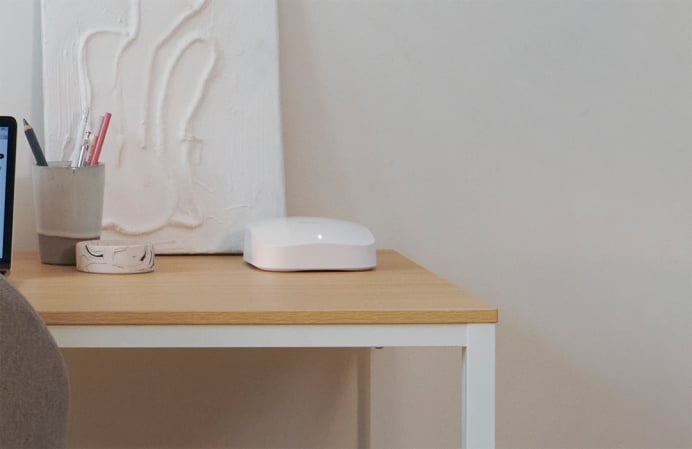
- Position the router centrally
- Keep it elevated and unobstructed
- Avoid placing it inside cabinets
Use the Right Frequency Band
- Use 2.4 GHz for long-range coverage
- Use 5 GHz for fast performance near the router
Update Firmware Regularly
Manufacturers release updates that improve speed and security.
Limit Bandwidth-Heavy Usage
Streaming, gaming, and large downloads can slow other devices.
Upgrade Equipment When Needed
Older routers may not support high-speed connections required today.
The Future of Internet & WiFi
Emerging technologies continue to reshape connectivity:
- WiFi 7 promises multi-gigabit speeds and ultra-low latency
- Fiber internet offers unmatched speed and reliability
- Satellite networks like LEO constellations are improving rural access
- IoT expansion is creating smarter households that depend on strong networks
As these technologies evolve, internet speeds and reliability will continue to increase for both consumers and businesses.
FAQs
1. Is WiFi the same as the internet?
No. WiFi is a wireless method of connecting to the internet, while the internet itself is the global network of data.
2. Does a router work without a modem?
A router alone cannot access the internet. It needs a modem (or fiber ONT) to receive the connection from your ISP.
3. How often should I upgrade my router?
Most experts recommend upgrading every 3–5 years, depending on usage and new technology.
4. What affects WiFi range the most?
Thick walls, metal objects, microwaves, and other wireless devices can significantly reduce range.
5. Which is better: 2.4 GHz or 5 GHz?
Neither is universally better—2.4 GHz offers range, while 5 GHz provides speed.
6. Why does my internet slow down at night?
Peak-hour congestion can occur when many users in your area are online simultaneously.
7. What is the difference between WiFi 6 and WiFi 6E?
WiFi 6E adds the 6 GHz band, giving faster speeds, less interference, and improved performance for modern devices.


