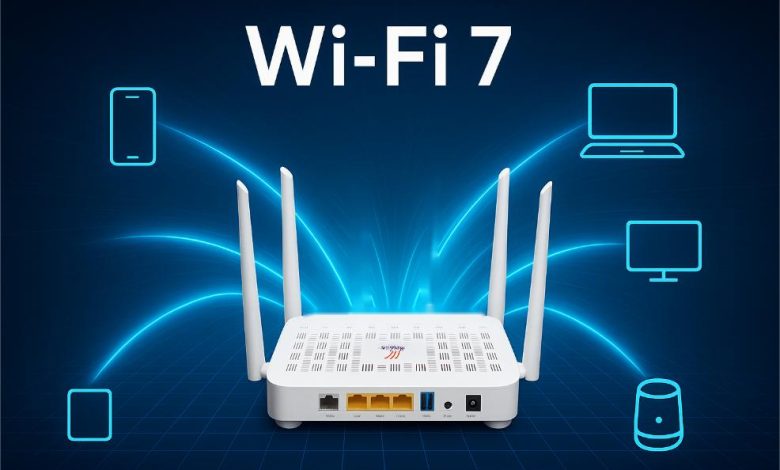
Every few years, the wireless industry introduces a new generational standard promising lightning-fast speeds, zero latency, and revolutionary efficiency. Consumers are greeted with marketing materials boasting multi-gigabit throughput figures that dwarf even high-end wired connections. When Wi-Fi 7 entered the consumer market, it arrived with massive hype. Networking vendors flooded retail channels with expensive tri-band routers and mesh systems, framing the technology as an essential upgrade for modern homes.
Yet, for the average homeowner or small business operator staring down a cart total of several hundred dollars for a new router and compatible client adapters, a fundamental question remains. Is the hardware investment actually worth it right now, or is it an expensive exercise in buying capacity your devices cannot even use?
Cutting through the marketing noise requires looking past theoretical peak speeds and examining how the technology performs in the real world. Understanding what Wi-Fi 7 brings to the table, where its bottlenecks lie, and which users stand to benefit immediately will help you decide whether to open your wallet or wait for maturity.
Deconstructing the Major Architectural Leaps of Wi-Fi 7
To understand whether the hardware is worth buying, you need to look at what separates Wi-Fi 7 from its predecessors, Wi-Fi 6 and Wi-Fi 6E. This is not merely an incremental speed bump; it introduces structural changes designed to combat congestion and latency in crowded airwaves.
Doubling Channel Widths with 320 MHz Channels
Previous generations maxed out at 160 MHz channel widths, primarily within the uncrowded 6 GHz frequency band. Wi-Fi 7 doubles that maximum channel width to 320 MHz. Think of this as widening a highway from four lanes to eight lanes. Data can flow in much larger chunks simultaneously, translating to massive throughput gains for bandwidth-heavy tasks like transferring giant video files or streaming uncompressed virtual reality content.
Multi-Link Operation
One of the most technically impressive advancements in Wi-Fi 7 is Multi-Link Operation, commonly known as MLO. In older standards, a device could only connect to a single frequency band at a time—either 2.4 GHz, 5 GHz, or 6 GHz. MLO allows compatible client devices to transmit and receive data across multiple frequency bands simultaneously. If interference spikes on the 5 GHz band, traffic instantly dynamically shifts or aggregates across the 6 GHz band without dropping packets or spiking latency. This drastically reduces jitter, making it a game-changer for real-time applications like cloud gaming and video conferencing.
Higher-Order Quadrature Amplitude Modulation
Wi-Fi 7 introduces 4096-QAM modulation, an upgrade over the 1024-QAM used in Wi-Fi 6. By packing more data into each individual transmission signal, 4096-QAM increases raw data transmission efficiency by roughly twenty percent under ideal conditions.
The Current State of Client Device Compatibility
The most significant barrier to an immediate Wi-Fi 7 upgrade is not the router sitting on your shelf; it is the ecosystem of devices connecting to it. A network is a two-way street that requires both a capable access point and a compatible client device to unlock its advanced features.
While high-end laptops, flagship smartphones, and premium desktop motherboards released over the last year or two frequently feature built-in Wi-Fi 7 chipsets, the rest of your household ecosystem lags far behind. Smart home appliances, security cameras, streaming sticks, tablets, and older corporate laptops typically max out at Wi-Fi 6 or Wi-Fi 5.
Because Wi-Fi is backward compatible, your legacy devices will connect to a new Wi-Fi 7 router without issue, but they will not benefit from any of its signature features. If your primary daily drivers—your phone, your work laptop, and your television—cannot speak Wi-Fi 7 natively, purchasing an expensive router is akin to buying a sports car to drive exclusively through a residential school zone. You will own high-performance hardware, but you will rarely have an opportunity to tap into its potential.
Internet Service Provider Bottlenecks
Another critical factor to weigh before purchasing Wi-Fi 7 hardware is your actual broadband connection speed. If your internet service provider delivers a 300 megabits per second fiber or cable connection, upgrading your home router to a multi-gigabit Wi-Fi 7 system will not magically accelerate your web browsing experience.
Wi-Fi 7 shines brightest when moving data rapidly between devices on your local network—such as backing up large files to a local network-attached storage drive or streaming high-bitrate media from a home media server. If your primary interaction with the internet involves streaming compressed 4K video streams that require only twenty-five megabits per second, standard Wi-Fi 6 already provides more than enough headroom to handle the load without breaking a sweat. Unless your broadband tier exceeds a gigabit and your household suffers from severe internal network congestion, your bottleneck lives at the modem, not the router.
When the Hardware Investment Actually Makes Sense
Despite the ecosystem limitations, certain scenarios justify jumping into Wi-Fi 7 right now. If you fall into one of these specific camps, the hardware upgrade delivers tangible value rather than just futuristic bragging rights.
High-Density Smart Homes and Interference-Heavy Environments
If you live in a densely populated apartment building or an urban high-rise, your airwaves are likely saturated with interference from dozens of neighboring routers fighting for the same airspace. Wi-Fi 7 hardware utilizes the 6 GHz band and advanced congestion-avoidance features far more aggressively than older routers. The introduction of puncturing allows the router to carve out usable segments of a wide channel even when portions of it are jammed with interference, preserving stable performance where older routers would stutter.
Heavy Local Network Traffic and Content Creators
Professionals who routinely move massive video projects, raw photography files, or large codebases across local storage arrays will notice an immediate difference. When paired with multi-gigabit wired backhauls and compatible client machines, Wi-Fi 7 drastically shrinks file transfer times, effectively bridging the gap between wireless convenience and wired ethernet speeds.
Future-Proofing Your Infrastructure
Networking hardware is a long-term investment. Unlike smartphones that consumers replace every two to three years, a quality router often stays in service for half a decade or longer. If you are building a new home, upgrading an aging Wi-Fi 5 network, or replacing hardware that is failing anyway, buying into Wi-Fi 7 ensures that your foundational infrastructure is ready as you gradually replace your client devices over the coming years.
Weighing Cost Versus Practicality
As manufacturing scales and silicon matures, the initial price premium associated with bleeding-edge networking gear is steadily decreasing. However, top-tier tri-band mesh systems and enterprise-grade access points still command a notable markup over reliable Wi-Fi 6E alternatives.
For most casual households, a well-configured Wi-Fi 6 or Wi-Fi 6E network remains more than adequate for daily demands. The performance delta between Wi-Fi 6E and Wi-Fi 7 on standard internet traffic is difficult to perceive outside of benchmark utilities.
If your budget is flexible and you enjoy running cutting-edge hardware, upgrading to Wi-Fi 7 provides a future-proof foundation that will effortlessly handle tomorrow’s connected demands. But if you are looking for an immediate, high-impact performance fix for a sluggish home network, your money might be better spent optimizing your current placement, upgrading your broadband tier, or adding wired access points before chasing the newest wireless standard.